You have downloaded an APK and found a SHA-256 value on the publisher’s website. Before comparing anything, check what that value describes: the whole APK file or its signing certificate. They are different checks.
This guide shows how to compare an APK’s whole-file checksum in PowerShell on Windows. It does not install the app or certify that it is safe.
1. Check that you have the right reference
Use a publisher channel you trust. Match the exact release and build variant, and confirm that the reference is explicitly a whole-file SHA-256 digest. If that description is missing, ask the publisher rather than guessing.
| What the publisher supplies | What to do |
|---|---|
| SHA-256 for the exact APK file | Use the file comparison below. |
| Signing-certificate SHA-256 fingerprint | Follow the publisher’s certificate-verification instructions instead. |
| A different algorithm or an unlabeled value | Do not compare it as a whole-file SHA-256 digest. |
| No trustworthy reference | You can calculate a digest, but cannot establish a publisher-reference match. |
For a concrete example of the distinction, Proton’s APK verification guide identifies its published values as certificate checksums. Comparing those values with the hash of the entire APK would be the wrong test.
2. Calculate the APK’s checksum
Open PowerShell. Replace the example path below with the actual location of your download, keeping the single quotation marks:
Get-FileHash -LiteralPath 'C:\Downloads\app.apk' -Algorithm SHA256Read the Hash field. The command calculates a digest of the file’s contents; it does not run the APK. The -LiteralPath option is useful for filenames containing characters such as square brackets. See Microsoft’s Get-FileHash reference for the documented parameters.
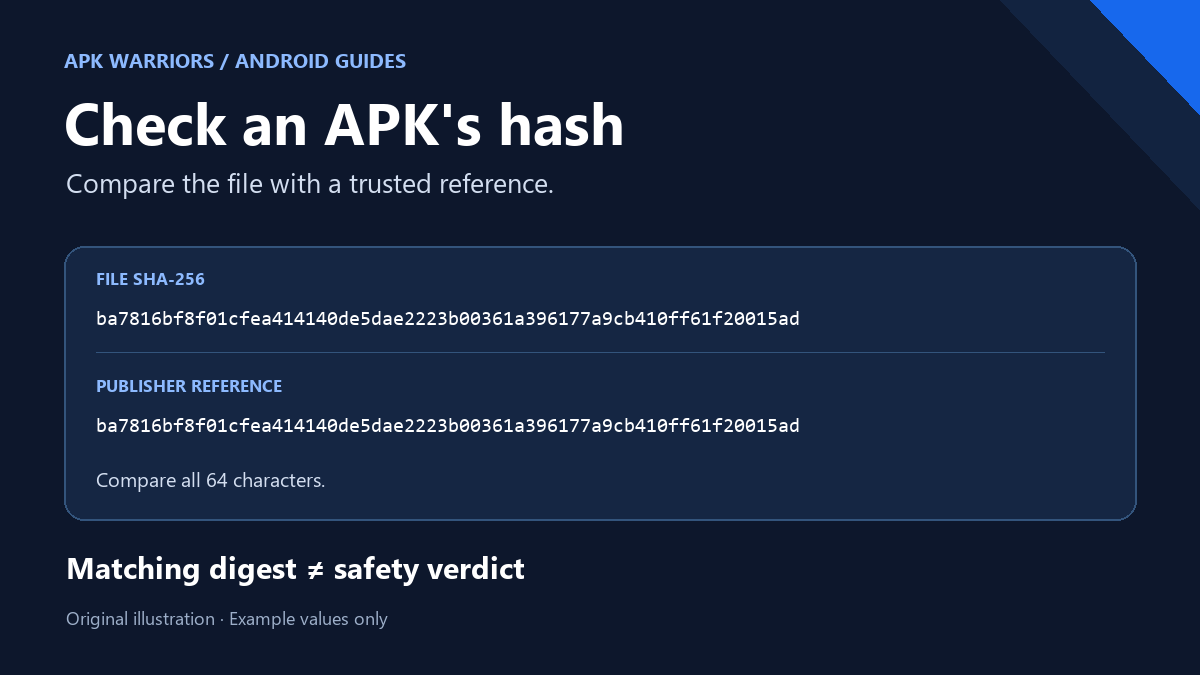
Compare the entire digest with the publisher’s reference, not just the first or last few characters. In this guide, a whole-file SHA-256 reference must contain exactly 64 hexadecimal characters: digits 0–9 and letters a–f, in either case.
3. Make the comparison explicit
For a repeatable check, save the following as check_apk.ps1. Supply the actual file path and the publisher’s digest when running it.
param(
    [Parameter(Mandatory=$true)][string]$ApkPath,
    [Parameter(Mandatory=$true)][string]$ExpectedSha256
)
$ErrorActionPreference = 'Stop'
if ($ExpectedSha256 -notmatch '\A[0-9a-fA-F]{64}\z') {
    throw 'INVALID REFERENCE: expected exactly 64 hexadecimal characters.'
}
$actual = (Get-FileHash -LiteralPath $ApkPath -Algorithm SHA256 -ErrorAction Stop).Hash
if ($actual -ine $ExpectedSha256) {
    throw 'MISMATCH: stop and check the exact release, build and publisher reference.'
}
'MATCH: this file matches the supplied digest. This is not a safety verdict.'
From the folder containing the script, run it in this form. The text in brackets is a placeholder; replace it before running:
.\check_apk.ps1 -ApkPath 'C:\Downloads\app.apk' -ExpectedSha256 '[publisher whole-file SHA256]'If your PowerShell environment blocks scripts, keep the single-command method above and compare the complete values manually. Do not change execution policy just to follow this guide.
What the result means
- MATCH: the calculated digest equals the supplied reference. This check has not examined app behavior, permissions or certificate identity. A reference obtained from the same untrusted source as the download does not resolve that trust problem.
- MISMATCH: stop. Recheck the release, build variant, reference type and algorithm. If the mismatch remains, obtain clarification or a fresh file from the publisher; do not treat a familiar filename as sufficient reassurance.
- INVALID REFERENCE: check for spaces, line breaks, labels or the wrong value. The checker deliberately rejects anything outside its exact format.
- File error: confirm that the path points to an existing readable file. A missing-file error is not a successful verification.
What we actually tested
On 19 October 2026, we tested this checker in PowerShell 7.6.5 on Windows using a harmless three-byte file, not a functioning APK. It accepted a matching digest and an uppercase reference, rejected a one-byte-changed copy, rejected malformed and newline-terminated references, and stopped for a missing file. A filename containing square brackets worked. These tests validate the file-comparison logic, not Android installation or certificate verification.
An earlier recorded test on 7 October 2026 used a real Termux v0.118.3 APK and recorded agreement between PowerShell, Python and the corresponding release checksum. That is historical evidence, not a new download or a recommendation to install that release. No APK was installed in either test.
When you need a different check
For signing-certificate verification, consult the publisher’s instructions and the official Android apksigner documentation. Android documents signature verification and a certificate-information option separately. We did not test that workflow here.
The useful result is narrow and clear: the selected file was compared with the supplied whole-file reference. You still need to establish that the reference is trustworthy. Keep the comparison separate from deciding whether to trust or install the app.